iced_nodegraph

A node graph editor widget for iced

crates.io 0.5.0

iced_nodegraph, a node graph editor widget for iced

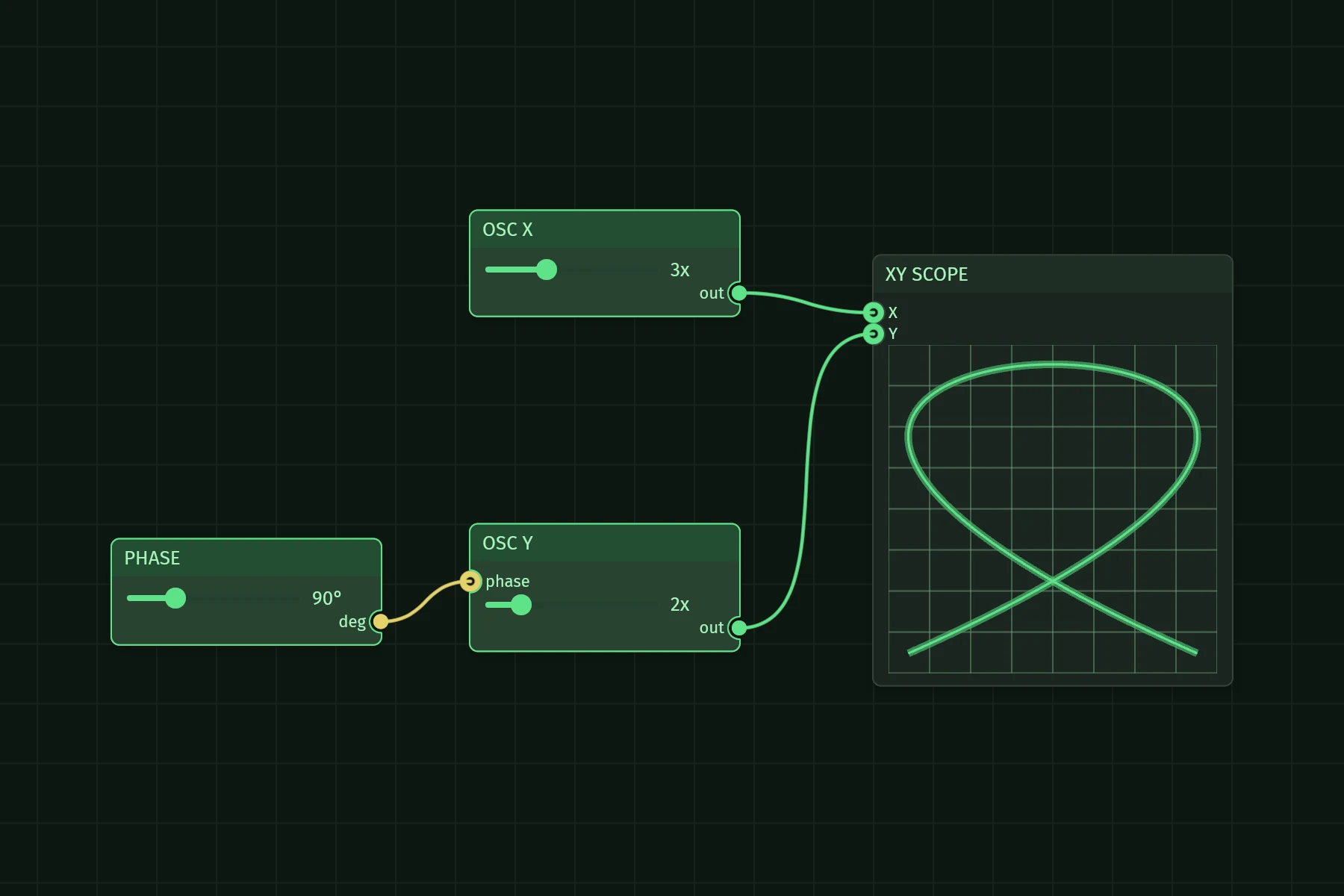
XY scope
The scope scene: oscillator nodes with frequency and phase sliders wired into an XY scope node that draws a Lissajous figure
Stored image of the scope scene.
Connect
Drag from pin to pin
Disconnect
Click a connected pin to unplug
Tap a connected pin to unplug
Pan
Right mouse drag
One-finger drag on empty canvas, or two-finger drag
Zoom
Scroll wheel (zooms at cursor)
Two-finger pinch

Nodes are ordinary iced widgets - sliders, text inputs, whatever your view builds - placed on an infinite zoom/pan canvas and wired together through typed pins. The widget holds no graph state: your application owns the data model, and connections, moves, and deletes arrive as messages, like any other iced widget.

Message tape

What the graph and its node widgets send to the scene's update, each message in its Debug form.

    Wire a pin on the screen, or move a slider. The widget changes nothing itself: it reports, and the scene's update applies.

    Install

    cargo add iced_nodegraph
    cargo add iced --features wgpu

    Demos

    Every demo runs natively and in the browser.

    Channel 1
    The hello_world demo: Command palette, theme switching, selection, clone/delete, persistence
    Stored image of the hello_world scene.

    1 hello_world

    Command palette, theme switching, selection, clone/delete, persistence

    cargo run -p demo_hello_world

    Source of hello_world
    Channel 2
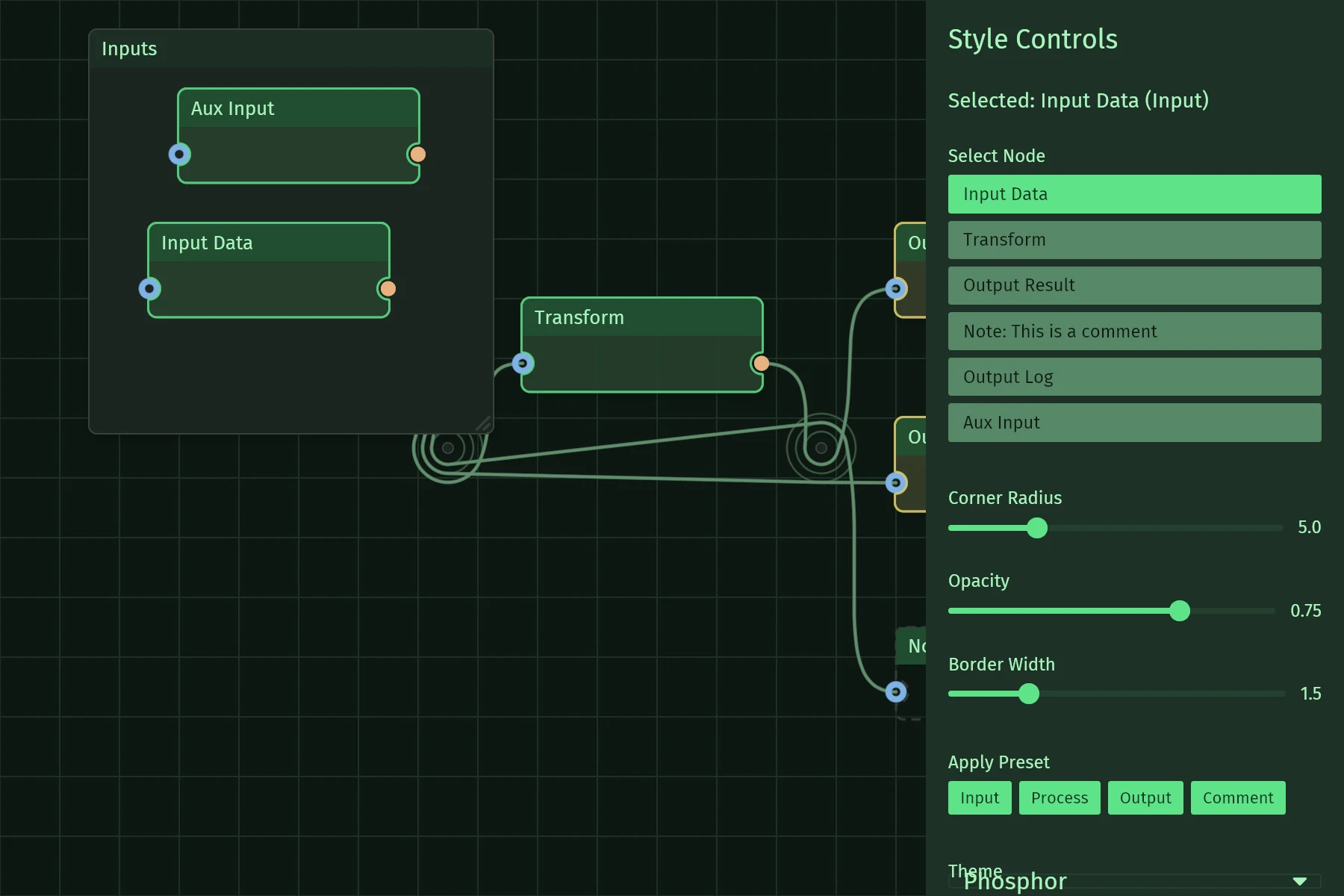
    The styling demo: Style presets and live node styling controls
    Stored image of the styling scene.

    2 styling

    Style presets and live node styling controls

    cargo run -p demo_styling
    Source of styling
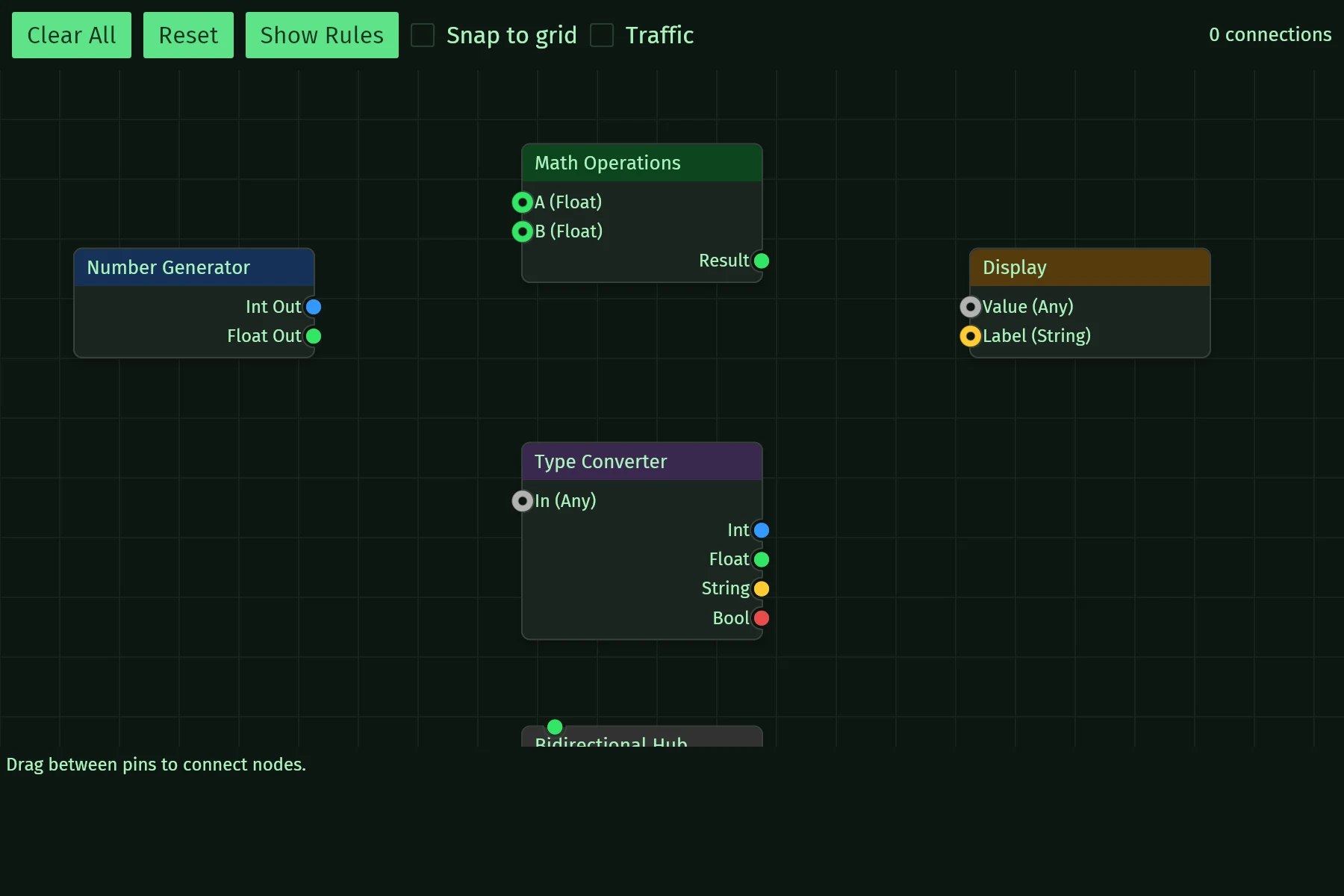
    Channel 3
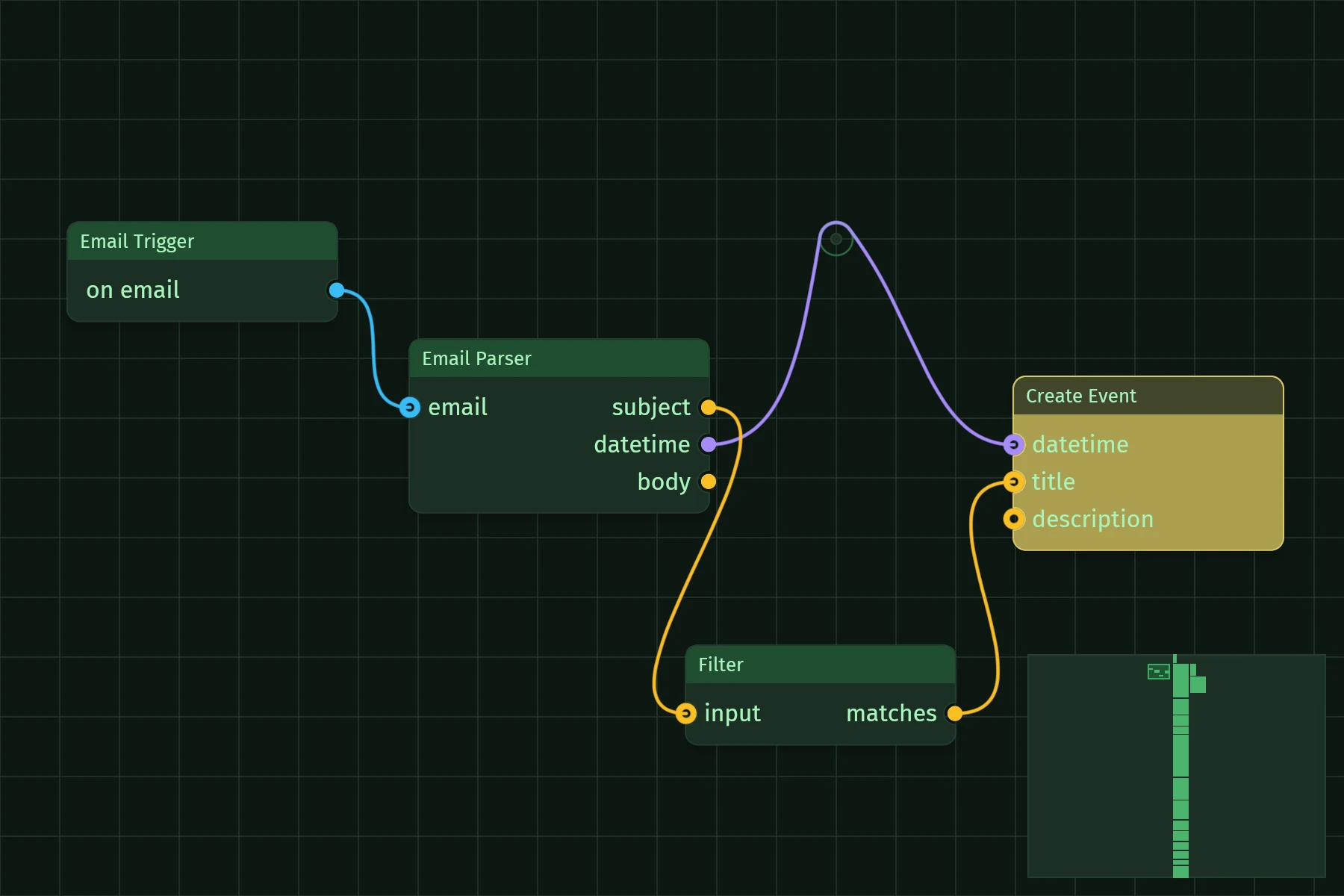
    The interaction demo: Pin direction and type rules, connection validation, snap feedback
    Stored image of the interaction scene.

    3 interaction

    Pin direction and type rules, connection validation, snap feedback

    cargo run -p demo_interaction
    Source of interaction
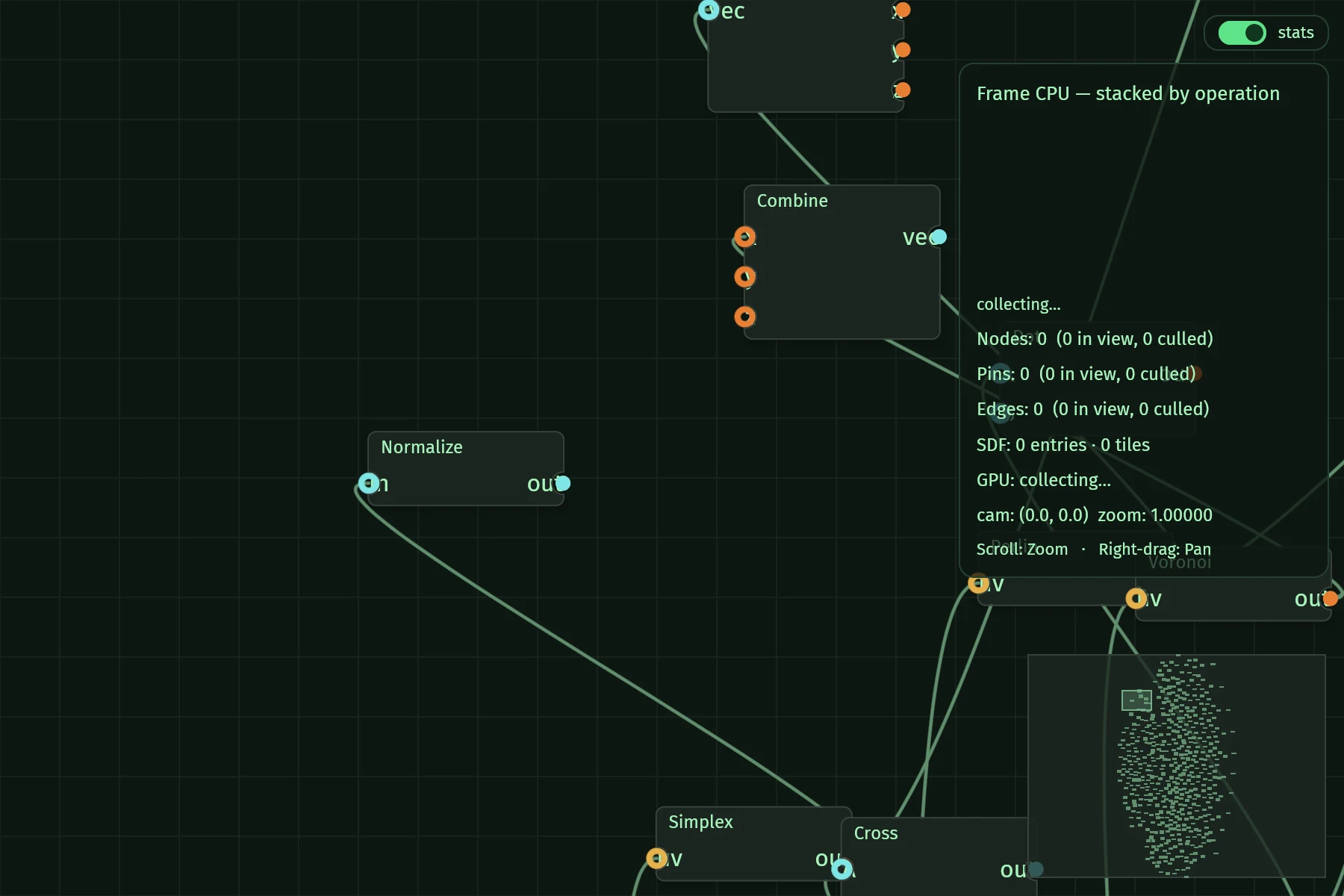
    Channel 4
    The 500_nodes demo: 500 nodes / 640 edges stress test with a runtime stats overlay
    Stored image of the 500_nodes scene.

    4 500_nodes

    500 nodes / 640 edges stress test with a runtime stats overlay

    cargo run --release -p demo_500_nodes
    Source of 500_nodes
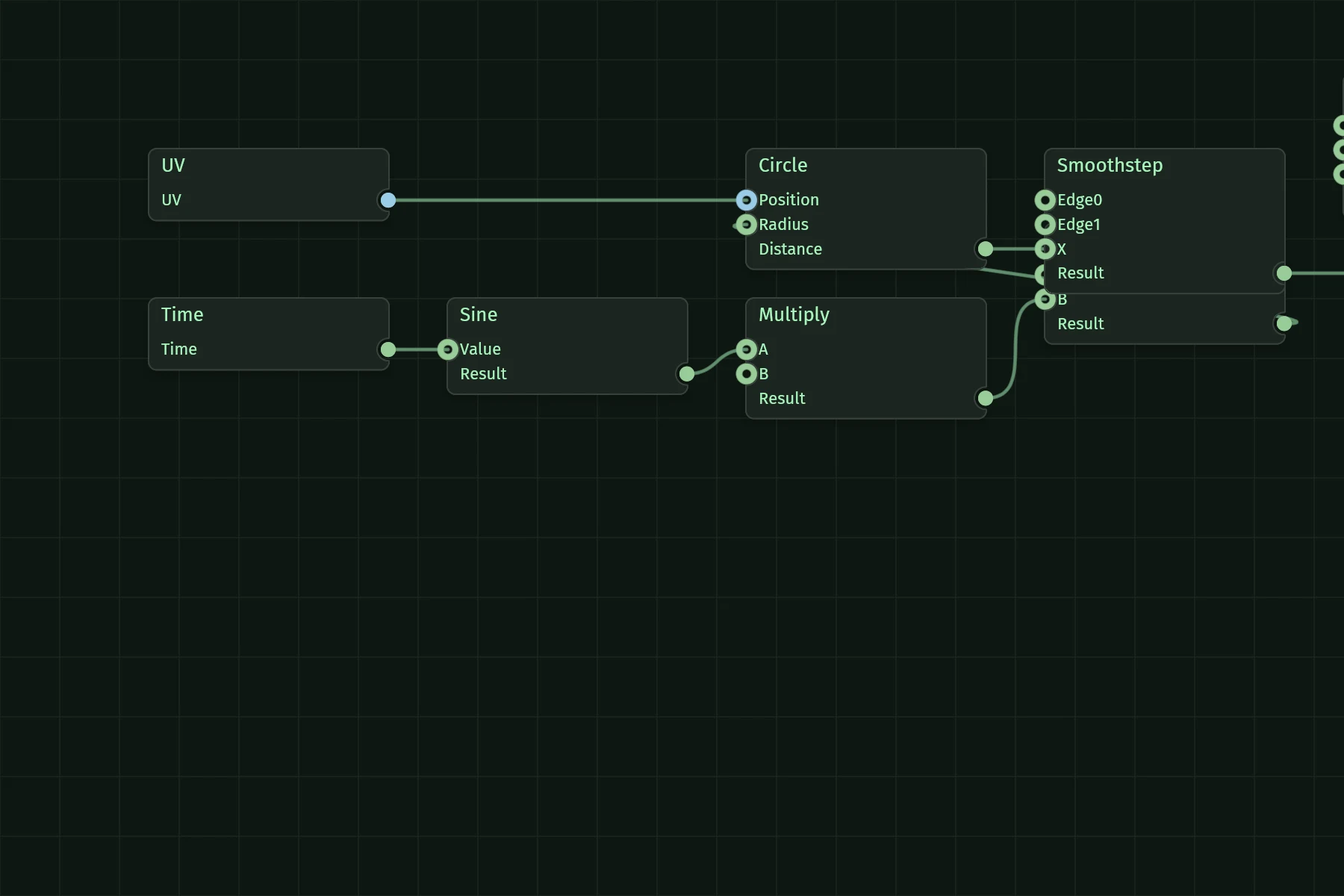
    Channel 5
    The shader_editor demo: Visual WGSL editor: the graph compiles to a running shader
    Stored image of the shader_editor scene.

    5 shader_editor

    Visual WGSL editor: the graph compiles to a running shader

    cargo run -p demo_shader_editor
    Source of shader_editor

    Theory of operation

    Everything on the canvas is drawn by a single WGPU pipeline as signed distance fields, so it stays sharp at every zoom level and handles graphs with hundreds of nodes.

    Block diagram of the iced loop with iced_nodegraphYour model feeds view, which builds the NodeGraph widget from the nodes and edges you pass in. The widget draws one SDF scene through one WGPU pipeline, and reports intent through callbacks as a Message. update receives the Message and applies it to your model, and the next view reflects it.YOUR MODELowned by the hostNODEGRAPHstateless between framesSDF SCENEone WGPU pipelineMESSAGEon_connect, on_move, ...UPDATEapplies the changeviewdrawsreports intentMessagenext viewBlock diagram of the iced loop with iced_nodegraphYour model feeds view, which builds the NodeGraph widget from the nodes and edges you pass in. The widget draws one SDF scene through one WGPU pipeline, and reports intent through callbacks as a Message. update receives the Message and applies it to your model, and the next view reflects it.YOUR MODELowned by the hostNODEGRAPHstateless between framesSDF SCENEone WGPU pipelineMESSAGEon_connect, on_move, ...UPDATEapplies the changeviewdrawsreports intentMessagenext view
    The iced loop with the widget in it. The host holds the model; the widget renders what view passes in and reports intent as messages.

    Your app owns the graph

    The widget is stateless between frames: it renders the nodes and edges you pass in and reports intent (on_connect, on_move, on_delete, ...) through callbacks. Your update logic applies the change and the next view reflects it - the plain iced loop, no hidden state to sync.

    One GPU pipeline

    Node bodies, edges, pins, shadows, and the background grid are compiled into a single signed-distance-field scene and rendered by the in-tree iced_nodegraph_sdf crate. A compute-shader tile index culls per pixel, and animated stroke patterns drive their own redraws. Details in ARCHITECTURE.md.

    Typed coordinates

    Screen space and world space are distinct euclid types, so mixing them up is a compile error.

    Specification

    Release0.5.0, 2026-09-24, on crates.io; API documentation on docs.rs. Migration notes.
    Compatibility
    • Targets iced 0.14 with the wgpu renderer (the SDF pipeline has no tiny-skia fallback).
    • Native: Windows, macOS, Linux. Web: WebAssembly on WebGPU-capable browsers - there is no WebGL fallback, so Chrome/Chromium is recommended.
    • Pre-1.0: minor releases may change the API. See the CHANGELOG.
    WorkspaceThe workspace contains the widget (iced_nodegraph), the SDF renderer (iced_nodegraph_sdf), and the demos.
    LicenseMIT

    In use

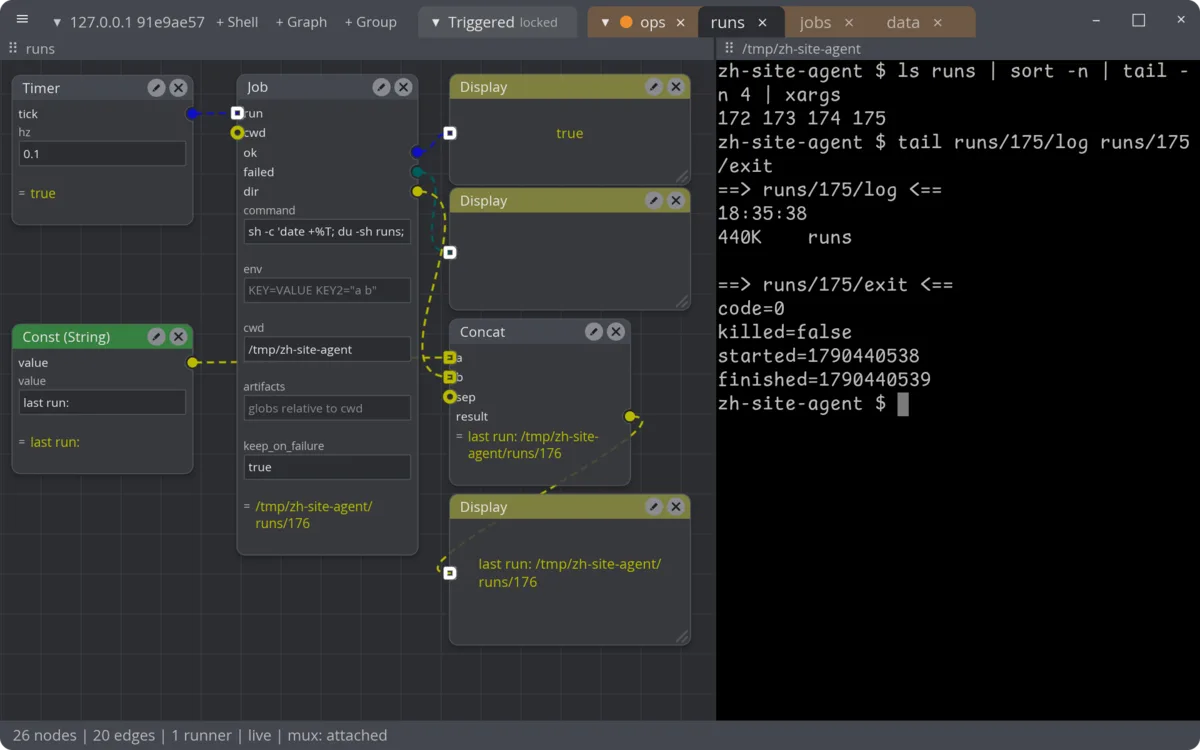
    The zeughaus editor: a graph of Timer, Job, Const, Concat and Display nodes beside a terminal pane
    zeughaus, headless capture at v0.1.0-alpha.1-1-g35f5eaf, 2026-09-26.

    zeughaus is a visual dataflow workbench built on iced and iced_nodegraph: graphs of nodes are edited collaboratively and executed by a headless runner.